Skip to content
kifarunix.com
  • Home
  • Blog
    • HowTos
    • Containers
    • Security
    • Networking
    • Storage
    • Virtualization
    • Monitoring
  • About Us
  • Contact Us

assign roles to groups in kubernetes

Assign Roles to Users and Groups in Kubernetes Cluster

Assign Roles to Users and Groups in Kubernetes Cluster

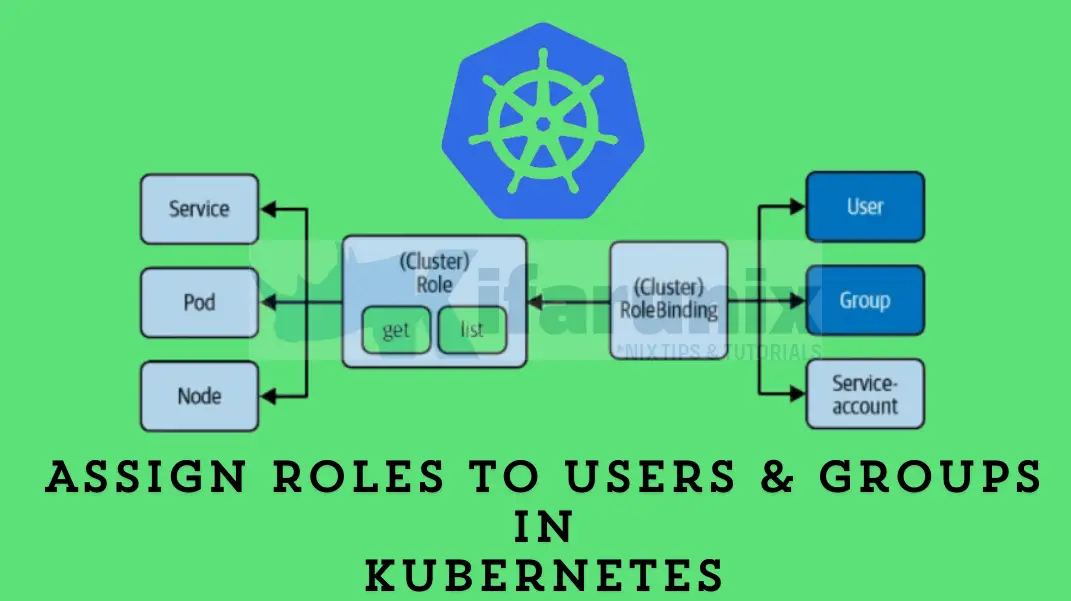
In this tutorial, you will learn how to assign roles to users and groups in Kubernetes cluster. With Kubernetes becoming the de facto standard for

Latest Posts

How to Install and Configure OpenShift Data Foundation (ODF) on OpenShift 4.20: Step-by-Step Guide [2026]

How to Deploy an OpenShift Cluster Using Agent-Based Installer (Bootable ISO, KVM & Bare Metal)

Integrate Request Tracker (RT) with Active Directory for Authentication

How to Enable Self-Service Password Reset in Request Tracker (RT)

Configure Request Tracker to Send Mails using MSMTP via Gmail Relay

How to Enable HTTPS for Request Tracker on Linux

Containers

Integrate OpenShift with Active Directory for Authentication

Step-by-Step Guide: How to Configure HTPasswd Identity Provider in OpenShift 4.x

Step-by-Step Guide: How to Install Helm on Kubernetes Cluster

Configuring Shared Filesystem for Kubernetes on Rook Ceph Storage

Working Guide: Deploy AWX on Kubernetes Cluster with AWX Operator

How to Install Docker on Ubuntu 24.04

Security

Enforce Password Complexity Policy On CentOS 7/RHEL Derivatives

What Are the Benefits of SOCKS5 Proxy?

How to Reset Ceph Dashboard Admin Password

Setup OpenVPN Server on Rocky Linux 8

Introduction to Role-Based Access Control (RBAC) in Kubernetes

Install and Enroll Elastic Agents to Fleet Manager in Linux

Monitoring

Install and Configure Tripwire Security Monitoring tool on CentOS 8

Install Nagios Plugins and NRPE agents on CentOS 7/RHEL 7/Fedora 29

Install Arkime Full Packet Capture tool on Ubuntu

Setup Multi-node Elasticsearch Cluster

Install InfluxDB on Fedora 30/Fedora 29

Monitor Docker Swarm Service Metrics using Grafana

© 2026 kifarunix.com

Home Advertise with us Privacy Policy