Skip to content
kifarunix.com
  • Home
  • Blog
    • HowTos
    • Containers
    • Security
    • Networking
    • Storage
    • Virtualization
    • Monitoring
  • About Us
  • Contact Us

install osquery and enroll Windows

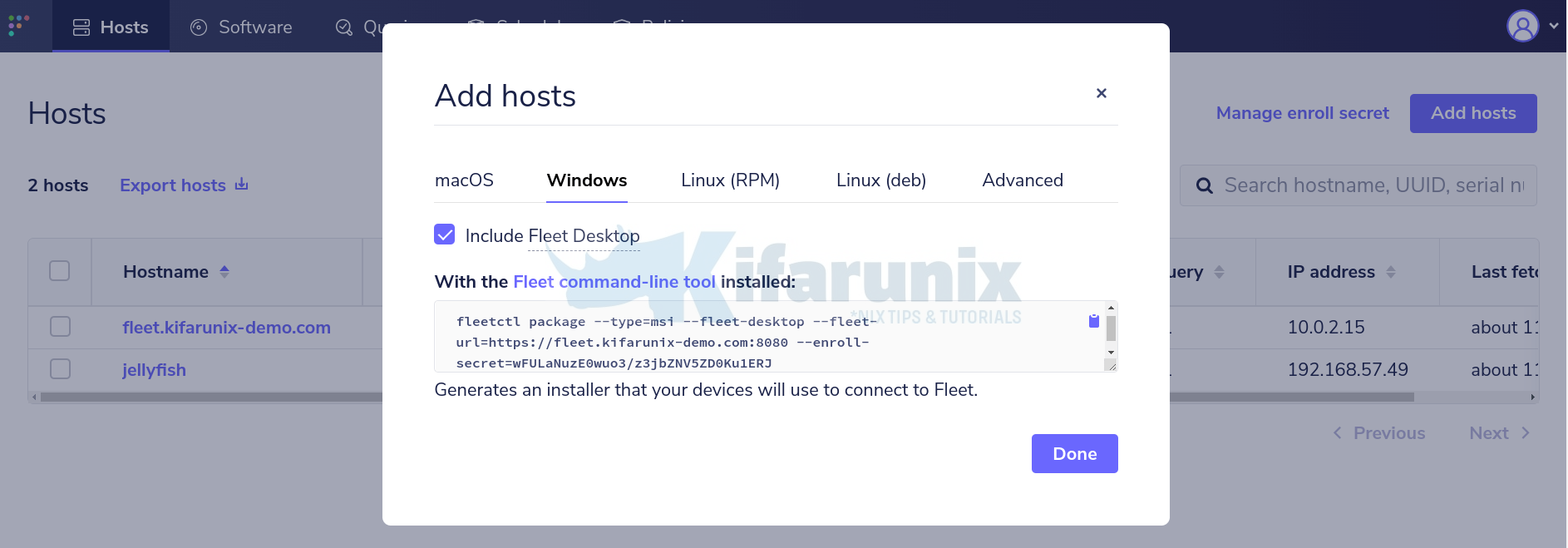
enroll Windows systems into Osquery Fleet Manager

Enroll Windows Systems into Osquery Fleet Manager

Welcome to our guide on how to enroll Windows systems into Osquery Fleet Manager. Fleet is the most widely used open source osquery manager. Deploying osquery

Latest Posts

How to Enable User Workload Monitoring in OpenShift 4.20: Let Developers Monitor Their Apps

How to Configure Production-Ready Monitoring in OpenShift: Prometheus, Alertmanager & Persistent Storage

Configure OpenShift 4 Image Registry Persistent Storage with ODF: 2026 Step-by-Step Guide

How to Install and Configure OpenShift Data Foundation (ODF) on OpenShift 4.20: Step-by-Step Guide [2026]

How to Deploy an OpenShift Cluster Using Agent-Based Installer (Bootable ISO, KVM & Bare Metal)

Integrate Request Tracker (RT) with Active Directory for Authentication

Containers

How to Install Docker Desktop on Kali Linux

How to Use Secrets in Kubernetes Applications

Patch Sudo CVEs 2025-32462 & 2025-32463 using Ansible AWX

How to Install Docker on Ubuntu 24.04

How to Deploy WordPress as a Docker Container

Deploy NRPE Agent as a Docker Container

Security

6 Cyber Security Tips Everyone Who Runs A Company Should Know

How to Install OPNsense on VirtualBox

Easily Integrate Linux Malware Detect with ClamAV

Install and Setup Velociraptor on Ubuntu 20.04

Careers In IT You Need To Know About

How to Install and Configure Nessus Scanner on Ubuntu 18.04/CentOS 7

Monitoring

How to Copy Kibana Dashboard to Another Kibana Space

How to Monitor Disk Input/Output on Linux

Install Grafana Metrics Monitoring Tool on Debian 9

Configure Prometheus Email Alerting with AlertManager

Install Nagios NRPE Agents on Ubuntu 22.04/Ubuntu 20.04

Install and Enroll Elastic Agents to Fleet Manager in Linux

© 2026 kifarunix.com

Home Advertise with us Privacy Policy