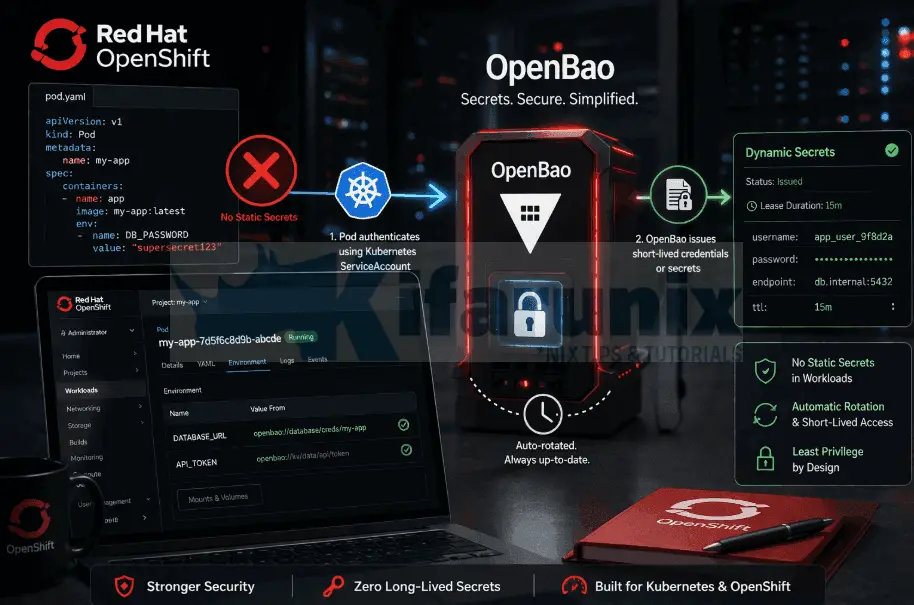
If your OpenShift workloads are still reading database passwords from Kubernetes Secrets that someone base64 -w0‘d into a YAML manifest six months ago, you have a static credential problem. That Secret is not encrypted. It is sitting in etcd, readable by anyone with RBAC access, never rotated, and committed to Git with its entire history intact.
Every compliance framework from SOC 2 to ISO 27001 would call this a finding. More importantly, it is an operational liability. When that credential leaks, and static credentials always leak eventually, you have no audit trail of which pod used it, no automatic revocation, and no clean rotation path that doesn’t involve redeploying every consumer.
The Kubernetes auth method in OpenBao replaces this model entirely. A pod starts, presents its ServiceAccount JWT to OpenBao, and receives a short-lived token scoped to a policy. No static credentials in the pod spec. No sensitive data in Kubernetes Secrets. Every access is logged. When the pod dies, its token expires with it. When you revoke a policy, every pod bound to it loses access immediately.
In the previous post, we deployed a production-grade OpenBao cluster on OpenShift: three-node HA Raft, end-to-end TLS with cert-manager, and static key auto-unseal. That cluster is live. This post picks up exactly where that one ended and walks through configuring Kubernetes auth so that real workloads can authenticate to OpenBao and pull credentials dynamically.
Table of Contents
OpenBao Kubernetes Auth on OpenShift: Eliminate Static Secrets from Your Workloads
What You Will Learn
In this guide, you will:
- Configure the Kubernetes auth method in OpenBao on OpenShift
- Enable a KV v2 secrets engine and store application credentials
- Define a least-privilege policy scoped to a single application path
- Bind a Kubernetes ServiceAccount and namespace to that policy using an auth role
- Deploy a real workload that authenticates to OpenBao and retrieves DB credentials at startup
- Verify authentication events in OpenBao audit logs
- Understand OpenShift-specific constraints and how to work around them
Prerequisites
Before proceeding, ensure you have the following in place:
- An OpenShift cluster (4.x) with administrative access
- A running OpenBao cluster accessible from the cluster (in-cluster or external)
- TLS configured for OpenBao (self-signed or CA-issued)
- The
baoCLI installed and configured to communicate with your OpenBao instance - An application namespace and a ServiceAccount you can use for authentication
- Permissions to create roles, policies, and auth methods in OpenBao
If you followed the previous guide in this series, your OpenBao cluster is already deployed with HA Raft, TLS, and auto-unseal, and you can proceed directly.
How Kubernetes Auth Works in OpenBao
Every secrets management system has a bootstrap problem: to fetch a secret, you need a credential, but that credential is itself a secret. With static Kubernetes Secrets, you solve this badly. A token or password goes into a manifest or environment variable and sits there indefinitely: long-lived, unrotated, and unaudited.
The Kubernetes auth method in OpenBao solves this by using a Kubernetes ServiceAccount token to authenticate. Every pod already has one, mounted automatically at /var/run/secrets/kubernetes.io/serviceaccount/token. No human creates it. Kubernetes manages its lifecycle entirely. OpenBao uses this token as proof of identity. The pod does not need a pre-provisioned credential. Its identity is its credential.
The authentication flow works like this:
- A pod sends its ServiceAccount JWT to OpenBao. A pod POSTs to
https://openbao.openbao.svc:8200/v1/auth/kubernetes/loginwith its JWT and the name of the OpenBao role it wants to assume.{ "jwt": "<ServiceAccount JWT>", "role": "<role-name>" } - OpenBao delegates validation to the Kubernetes TokenReview API. OpenBao does not validate the JWT itself. It forwards the token to the Kubernetes TokenReview API at
POST /apis/authentication.k8s.io/v1/tokenreviews. The API server validates the token and returns the user information associated with it, including ServiceAccount name, namespace, and UID. - OpenBao checks the result against the role. OpenBao then compares the returned ServiceAccount name and namespace against the
bound_service_account_namesandbound_service_account_namespacesconfigured on the role. If they match, authentication succeeds. If they do not, OpenBao returns an error and no token is issued. - OpenBao issues a short-lived client token. A client token scoped to the policies defined on the role, a TTL, and metadata including the ServiceAccount name, namespace, and UID is issued upon a successful authentication. The pod uses this token for all subsequent secret reads via the
X-Vault-Tokenheader. Every access is logged in the OpenBao audit backend.
Pod                      OpenBao                  OCP API Server
 |                          |                           |
 |-- POST /auth/k8s/login ->|                           |
 |   (JWT + role)           |                           |
 |                          |--- POST /tokenreviews --->|
 |                          |          (JWT)            |
 |                          |<-- SA name, namespace ----|
 |                          |   [match against role?]   |
 |                          |                           |
 |                          |                           |
 |<---- client_token -------|                           |
 |     (policies, TTL)      |                           |
 |                          |                           |
 |-- GET /secret/data/... ->|                           |
 |    (X-Vault-Token)       |                           |
 |<----- secret data -------|                           |
When the pod terminates, its ServiceAccount token is revoked by Kubernetes and the OpenBao client token expires with it. When you revoke or modify the OpenBao policy, every pod bound to that role loses access immediately.
Why OpenBao needs its own ServiceAccount to call TokenReview
This is the detail that breaks most first-time configurations. When a pod sends its JWT to OpenBao, OpenBao does not use that JWT to call the Kubernetes API. It uses its own token_reviewer_jwt. Because our OpenBao instance runs inside the OCP cluster as a StatefulSet, we use the simplest approach: omit token_reviewer_jwt entirely, and OpenBao will automatically read its own pod’s local ServiceAccount token from the same path (/var/run/secrets/kubernetes.io/serviceaccount/token). OpenBao re-reads this file periodically, so it handles token rotation transparently.
For this to work, the OpenBao ServiceAccount must be bound to the system:auth-delegator ClusterRole, which grants permission to create TokenReviews against the Kubernetes API. Without this binding, every login attempt fails with a 403.
Part 1: Enable and Configure Kubernetes Auth in OpenBao
Step 1: Enable the Kubernetes Auth Method
Log into OpenBao with the root token (or a token with sys/auth capabilities):
export BAO_ADDR="https://$(oc get routes openbao -n openbao -o jsonpath='{.spec.host}{"\n"}')"export BAO_CACERT="/path/to/openbao-ca.crt"Obtain your root token and login. You will be prompted to enter the token:
bao loginEnable the Kubernetes auth method:
bao auth enable -description="OCP 4.x cluster workload authentication" kubernetesSample output;
Success! Enabled kubernetes auth method at: kubernetes/Verify:
bao auth listSample output;
Path           Type          Accessor                    Description                                 Version
----           ----          --------                    -----------                                 -------
kubernetes/    kubernetes    auth_kubernetes_19cf914f    OCP 4.x cluster workload authentication    n/a
token/         token         auth_token_6a32ff6b         token based credentials                     n/a
Step 2: Configure the Auth Method to Talk to the OCP API
Before OpenBao can validate any pod’s ServiceAccount token, it needs three things:
- the address of the Kubernetes API server (
kubernetes_host), - a CA certificate (
kubernetes_ca_cert) to trust when connecting to it, and - a token (
token_reviewer_jwt) it can use to make requests to that API server.
auth/kubernetes/config is where you provide these requirements (in essence, this is the connection profile that OpenBao uses to reach and authenticate against the Kubernetes API server whenever a pod tries to log in). Because OpenBao is running inside the cluster, it reads the CA certificate and the reviewer token automatically from its own pod’s ServiceAccount mount. As such, you only need to supply the API server address manually.
Exec into the active OpenBao pod:
oc exec -it openbao-0 -n openbao -- /bin/shInside the pod, login:
bao loginand run the command below to configure OpenBao to talk to Kubernetes:
bao write auth/kubernetes/config kubernetes_host="https://$KUBERNETES_SERVICE_HOST:$KUBERNETES_SERVICE_PORT"Sample output;
Success! Data written to: auth/kubernetes/configThat is it. Three values are now in play:
kubernetes_host: the internal Kubernetes API URL, injected into every pod as environment variables by the kubelet.kubernetes_ca_cert: automatically loaded from/var/run/secrets/kubernetes.io/serviceaccount/ca.crt.token_reviewer_jwt: automatically loaded from/var/run/secrets/kubernetes.io/serviceaccount/token.
Verify:
bao read auth/kubernetes/configKey Value
--- -----
disable_iss_validation true
disable_local_ca_jwt false
issuer n/a
kubernetes_ca_cert n/a
kubernetes_host https://172.30.0.1:443
pem_keys []
token_reviewer_jwt_set falsedisable_iss_validation defaults to true on OpenBao 2.5.x for new mounts. This is correct; the Kubernetes API already validates the issuer during TokenReview, so validating it again in OpenBao is redundant.
n/a here means the CA is being auto-loaded from the pod’s ServiceAccount mount (not stored explicitly).
Exit the pod:
exitStep 3: Grant OpenBao Permission to Call the TokenReview API
Before any pod can authenticate, the OpenBao ServiceAccount needs permission to call the Kubernetes TokenReview and SubjectAccessReview APIs. Both are granted by binding the system:auth-delegator ClusterRole to the OpenBao ServiceAccount. Without this binding, every login attempt will fail with a permission denied error regardless of how correctly everything else is configured.
Create a ClusterRoleBinding manifest:
cat openbao-token-reviewer.yamlapiVersion: rbac.authorization.k8s.io/v1
kind: ClusterRoleBinding
metadata:
name: openbao-token-reviewer-binding
roleRef:
apiGroup: rbac.authorization.k8s.io
kind: ClusterRole
name: system:auth-delegator
subjects:
- kind: ServiceAccount
name: openbao
namespace: openbaoUpdate the manifest accordingly and apply it.
oc apply -f openbao-token-reviewer.yamlThe ServiceAccount name openbao matches what the Helm chart created during deployment. If you customised server.serviceAccount.name in your Helm values, use that name instead.
The OpenBao Helm chart intentionally does not create this ClusterRoleBinding. A ClusterRoleBinding is a cluster-scoped resource that grants permissions beyond the ServiceAccount’s namespace. The chart leaves this decision to the operator, which is the correct approach from a least-privilege standpoint.
If this binding is not in place before you test a login, you will see the following sample error:
Error writing data to auth/kubernetes/login: Error making API request.
URL: PUT https://openbao.apps.ocp.kifarunix.com/v1/auth/kubernetes/login
Code: 500. Errors:
* service account lookup failed: Post "https://172.30.0.1:443/apis/authentication.k8s.io/v1/tokenreviews":
  [permission denied]
Part 2: Create the KV Secrets Engine and Store Secrets
OpenBao supports multiple secrets engines: KV, PKI, databases, SSH, and more. For this guide we are using the KV v2 engine, which stores arbitrary key-value pairs and maintains a full version history of every secret. It is the simplest engine to start with and covers the most common use case: storing and retrieving application credentials.
Step 4: Enable KV v2 Secrets Engine
Enable a KV v2 engine at the path secret/:
bao secrets enable -path=secret -version=2 kvVerify:
bao secrets listSample output;
Path          Type         Accessor              Description
----          ----         --------              -----------
cubbyhole/    cubbyhole    cubbyhole_f00d3c43    per-token private secret storage
identity/     identity     identity_f3e33a17     identity store
secret/       kv           kv_cadf3388           n/a
sys/          system       system_e1f168c8       system endpoints used for control, policy and debugging
Step 5: Storing Workload Credentials on Secrets Engine
With the secrets engine enabled, you can now start migrating credentials out of your manifests and into OpenBao secrets engine. Any secret your workload currently reads from a Kubernetes Secret or a hardcoded manifest value belongs here: database passwords, API keys, connection strings, certificates.
Understanding Our Use Case
In our OCP environment, we have a PostgreSQL workload running as a StatefulSet in infrawatch-dev namespace. Its initialization credentials are currently stored in a Kubernetes Secret called infrawatch-db-secret. The secrets are referenced it via envFrom:
oc get sts infrawatch-postgres -n infrawatch-dev -o yaml | grep secretRef: -C5 containers:
- env:
- name: PGDATA
value: /var/lib/postgresql/data/pgdata
envFrom:
- secretRef:
name: infrawatch-db-secret
...Anyone with RBAC access to the infrawatch-dev namespace can read that Secret with oc get secret infrawatch-db-secret -o yaml. The credentials are base64-encoded, not encrypted, and likely committed to Git with their full history (Yes, because they are in a manifest!!).
---
apiVersion: v1
kind: Secret
metadata:
  name: infrawatch-db-secret
  namespace: infrawatch-dev
type: Opaque
stringData:
  POSTGRES_USER: infrawatch
  POSTGRES_PASSWORD: p@ssw0rd
  POSTGRES_DB: infrawatch_db
...
In this guide, we will decouple this workload from the Kubernetes Secret and use the OpenBao Agent Injector to inject credentials instead. The official postgres container image natively supports reading credentials from files using the _FILE suffix on its environment variables: POSTGRES_PASSWORD_FILE, POSTGRES_USER_FILE, and POSTGRES_DB_FILE. The container image entrypoint reads the file contents directly, no command override or entrypoint wrapping is needed.
With that context in place, let’s store the credentials for our Postgres workload in OpenBao.
Create Postgres initialization credentials secrets:
bao kv put secret/infrawatch/dev/postgres \
    postgres_user="infrawatch" \
    postgres_password="p@ssw0rd" \
    postgres_db="infrawatch_db"
The path secret/infrawatch/dev/postgres follows the convention secret/<app>/<environment>/<resource>. This structure is not enforced by OpenBao but it maps directly to how policies are scoped: a policy for production would grant access to secret/data/infrawatch/prod/* and nothing under secret/data/infrawatch/dev/*.
Sample command output;
=========== Secret Path ===========
secret/data/infrawatch/dev/postgres

======= Metadata =======
Key                Value
---                -----
created_time       2026-04-06T21:03:41.599509965Z
custom_metadata    <nil>
deletion_time      n/a
destroyed          false
version            1
Verify the read path (important: KV v2 uses secret/data/ prefix in the API, but secret/ in the CLI):
bao kv get secret/infrawatch/dev/postgresSample output;
=========== Secret Path ===========
secret/data/infrawatch/dev/postgres

======= Metadata =======
Key                Value
---                -----
created_time       2026-04-06T21:03:41.599509965Z
custom_metadata    <nil>
deletion_time      n/a
destroyed          false
version            1

====== Data ======
Key                  Value
---                  -----
postgres_db          infrawatch_db
postgres_password    p@ssw0rd
postgres_user infrawatchIf you need to update a value after writing it, use bao kv patch to update specific fields without overwriting the entire secret:
bao kv patch secret/infrawatch/dev/postgres postgres_user="postgres"If you need to replace the entire secret, use bao kv put again with all values. KV v2 will store the new write as a new version, preserving the previous one.
Part 3: Define Policies and Roles
With credentials stored in OpenBao, the next step is to define who can access them and what they can do. In OpenBao, this is controlled by two things:
- Policies: which define what paths a token can access and what operations it can perform, and
- Roles: which bind those policies to a Kubernetes identity. You define the policy first, then attach it to a role.
Step 6: Create a Least-Privilege Policy
A policy defines exactly what an authenticated token is allowed to do in OpenBao. Nothing more. Our application, InfraWatch running in the infrawatch-dev namespace, only needs to read its own database credentials. It does not need to write secrets, manage other paths, or access any other application’s data. The policy reflects that exactly.
Let’s create a policy for the InfraWatch dev workloads that:
- grants read access to secrets under
secret/data/infrawatch/dev/* - allows listing secret keys under
secret/metadata/infrawatch/dev/* - allows the token to look up its own properties
- allows the token to renew itself so the pod does not have to re-authenticate when the token approaches expiry
data/, which is a common source of confusion when writing policies. Although the CLI command bao kv get secret/infrawatch/dev/postgres works without it, the CLI automatically translates this to the full API path secret/data/infrawatch/dev/postgres behind the scenes. When defining policies, you must explicitly include data/ in the path; otherwise, the policy will not match the request, and all read operations will fail with a 403 error.OpenBao policies can be created directly from stdin, from an HCL file, or via the API. We will use stdin here. Hence run the command below to create the policy.
bao policy write infrawatch-dev - <<EOF
# Policy: infrawatch-dev
# Purpose: Allow InfraWatch dev workloads to read their database credentials
# Scope: Read-only access to secret/data/infrawatch/dev/*

# Read secrets
path "secret/data/infrawatch/dev/*" {
  capabilities = ["read"]
}

# List secret keys (needed for discovery, optional)
path "secret/metadata/infrawatch/dev/*" {
  capabilities = ["list", "read"]
}

# Allow the token to look up its own properties (useful for debugging)
path "auth/token/lookup-self" {
  capabilities = ["read"]
}

# Allow the token to renew itself (keeps the pod from having to re-authenticate)
path "auth/token/renew-self" {
  capabilities = ["update"]
}
EOF
Verify the policy creation:
bao policy read infrawatch-devStep 7: Create the Kubernetes Auth Role
The Kubernetes auth role binds a Kubernetes identity (ServiceAccount + namespace) to an OpenBao policy. When a pod authenticates to OpenBao, it presents its ServiceAccount token, and OpenBao validates it against the Kubernetes API to confirm the pod is who it claims to be, and then issues a scoped token bound to the matching policy.
Our InfraWatch PostgreSQL workload runs under dedicated ServiceAccount called infrawatch-postgres, in the infrawatch-dev namespace. We can confirm this directly from the running pod:
oc get pod -n infrawatch-dev -o custom-columns='POD:.metadata.name,SA:.spec.serviceAccountName'Output:
POD                                     SA
infrawatch-postgres-0                   infrawatch-postgres
The infrawatch-postgres SA is the identity we will bind to the infrawatch-dev policy in the role definition below. Only pods running under this ServiceAccount in this namespace will be able to authenticate to OpenBao and receive their tokens scoped to the policy defined above. Every other pod in the namespace including those running under the default ServiceAccount will be denied.
Therefore, let’s create a role for the Postgres DB.
Hence, copy the command below, update it accordingly and run it to create the role:
bao write auth/kubernetes/role/infrawatch-postgres-dev \
    bound_service_account_names=infrawatch-postgres \
    bound_service_account_namespaces=infrawatch-dev \
    policies=infrawatch-dev \
    ttl=1h \
    max_ttl=24h
This says: if a pod in the infrawatch-dev namespace presents a JWT from the infrawatch-postgres ServiceAccount, give it a token with the infrawatch-dev policy, valid for 1 hour (renewable up to 24 hours).
Verify:
bao read auth/kubernetes/role/infrawatch-postgres-devKey Value
--- -----
alias_name_source serviceaccount_uid
bound_service_account_names [infrawatch-postgres]
bound_service_account_namespace_selector n/a
bound_service_account_namespaces [infrawatch-dev]
max_ttl 24h
policies [infrawatch-dev]
token_bound_cidrs []
token_explicit_max_ttl 0s
token_max_ttl 24h
token_no_default_policy false
token_num_uses 0
token_period 0s
token_policies [infrawatch-dev]
token_strictly_bind_ip false
token_ttl 1h
token_type default
ttl 1hYou can list available roles using the command below;
bao list auth/kubernetes/roleKeys
----
infrawatch-postgres-devPart 4: Prepare the OpenShift Workload
Step 8: Trust the OpenBao CA in the Application Namespace
Our OpenBao cluster uses TLS certificates issued by cert-manager with a self-signed CA. Pods in infrawatch-dev need to trust this CA to make HTTPS requests to OpenBao. Without it, any connection attempt returns x509: certificate signed by unknown authority.
If you configured cert-manager with a ClusterIssuer and injected the CA into the cluster-wide trusted CA bundle, pods trust it automatically and this step is not needed. If you are unsure, follow this step. It is explicit, self-documenting, and requires no cluster-admin coordination beyond what you already have.
Copy the CA certificate from the openbao namespace into infrawatch-dev (You can get the name of the secret using the command; oc get secrets -n openbao | grep ca):
oc extract secret/openbao-ca-secret -n openbao --keys=ca.crt --to=- > /tmp/openbao-ca.crtoc create secret generic openbao-ca-cert --from-file=ca.crt=/tmp/openbao-ca.crt -n infrawatch-devPart 5: Authenticate from a Pod and Fetch Secrets
Step 9: Test the Full Authentication Flow from a Disposable Pod
Before modifying the real workload, validate the entire flow from a temporary pod running under the same ServiceAccount. If this works, the real workload will work.
oc run bao-test --rm -it \
  --restart=Never \
  --image=registry.access.redhat.com/ubi9/ubi-minimal:latest \
  --overrides='{
    "spec": {
      "serviceAccountName": "infrawatch-postgres",
      "containers": [{
        "name": "bao-test",
        "image": "registry.access.redhat.com/ubi9/ubi-minimal:latest",
        "command": ["/bin/sh"],
        "stdin": true,
        "tty": true,
        "volumeMounts": [{
          "name": "openbao-ca",
          "mountPath": "/etc/openbao/tls",
          "readOnly": true
        }]
      }],
      "volumes": [{
        "name": "openbao-ca",
        "secret": {
          "secretName": "openbao-ca-cert"
        }
      }]
    }
  }' \
  -n infrawatch-dev
Once inside the test pod, run the following:
Read the ServiceAccount JWT
JWT=$(cat /var/run/secrets/kubernetes.io/serviceaccount/token)Authenticate to OpenBao:
curl -sk \
  --cacert /etc/openbao/tls/ca.crt \
  --request POST \
  --data "{\"jwt\": \"$JWT\", \"role\": \"infrawatch-postgres-dev\"}" \
  https://openbao.openbao.svc:8200/v1/auth/kubernetes/login
Sample output;
{"request_id":"0e0731e6-07b5-ea7f-c9de-a19f59ba5ef6","lease_id":"","renewable":false,"lease_duration":0,"data":null,"wrap_info":null,"warnings":null,"auth":{"client_token":"s.1DlWWkE04csN9f5adCvW7Ht8","accessor":"zzf3LKT7kv2959QcrLlLTN0s","policies":["default","infrawatch-dev"],"token_policies":["default","infrawatch-dev"],"metadata":{"role":"infrawatch-postgres-dev","service_account_name":"infrawatch-postgres","service_account_namespace":"infrawatch-dev","service_account_secret_name":"","service_account_uid":"883ec329-ebdd-48d8-b451-6f61549fb508"},"lease_duration":3600,"renewable":true,"entity_id":"3c623f8d-7794-83c7-750c-2c53257b528c","token_type":"service","orphan":true,"mfa_requirement":null,"num_uses":0}}
From the output, you can see the client token:
"client_token":"s.1DlWWkE04csN9f5adCvW7Ht8"Fetch the database secret using the client token:
curl -sk \
  --cacert /etc/openbao/tls/ca.crt \
  --header "X-Vault-Token: s.1DlWWkE04csN9f5adCvW7Ht8" \
  https://openbao.openbao.svc:8200/v1/secret/data/infrawatch/dev/postgres
Sample output;
{"request_id":"66ea2189-6f31-1912-977a-56e24f808bc7","lease_id":"","renewable":false,"lease_duration":0,"data":{"data":{"postgres_db":"infrawatch_db","postgres_password":"p@ssw0rd","postgres_user":"infrawatch"},"metadata":{"created_time":"2026-04-08T12:25:14.804247975Z","custom_metadata":null,"deletion_time":"","destroyed":false,"version":2}},"wrap_info":null,"warnings":null,"auth":null}The double-nested data.data is a KV v2 behaviour: the outer data is the API response wrapper, and the inner data contains your actual key-value pairs.
If the ServiceAccount does not match the role’s bound_service_account_names, you will get message like, {“errors”:[“service account name not authorized”]}.
Step 10: Deploy Workloads with OpenBao-Sourced Credentials
How do Workloads Consume Secrets from OpenBao?
With the Kubernetes auth method configured and OpenBao policy bound to the Postgres workload’s ServiceAccounts, the final step is updating the workloads to fetch their credentials from OpenBao instead of reading them from a Kubernetes Secret.
Before doing that, it is worth understanding how secrets actually travel from OpenBao into a running pod, because OpenBao does not push secrets to workloads on its own. It is a storage and retrieval API and thus, something else must handle the delivery. The method you choose determines how much you need to change your application, how secrets are refreshed, and how tightly coupled your workloads become to OpenBao.
There are five primary approaches. All of them use Kubernetes auth we configured in the previous steps for the authentication step. They however differ in how the secret travels from OpenBao into the pod.
Method 1: Agent Injector (Annotation-Driven Sidecar)
The OpenBao Helm chart ships with an Agent Injector, a Kubernetes mutating admission webhook that watches for pods with specific Vault annotations. When it sees them, it injects an init container and a sidecar container into the pod automatically. The init container authenticates to OpenBao and fetches the secrets before your application starts. The sidecar handles token renewal and re-fetches secrets if they change, writing them to files on a shared in-memory volume at /vault/secrets/.
Your application reads secrets from files. No SDK. No HTTP calls. No code changes beyond modifying how the app reads its configuration.
The application container needs a shell only if it must convert files to environment variables (via source). If the image natively supports reading from files (like the official postgres image with POSTGRES_PASSWORD_FILE), no shell is needed.
vault.hashicorp.com/ prefix is used throughout.Method 2: Direct API Calls (curl / HTTP)
The pod calls the OpenBao API directly using curl or any HTTP client, typically from an init container shell script: authenticate, extract the token, fetch the secret, write it to a shared volume.
This works anywhere and requires no additional components, but it is fragile. You need to parse the JSON output correctly, there is no automatic token renewal, and if the token expires mid-lifecycle the pod has no mechanism to re-authenticate without restarting. Use this for testing and debugging. Not for production workloads.
Method 3: Application SDK Integration (Go, Python, Java)
The application itself authenticates to OpenBao and fetches secrets using a client library. OpenBao provides an official Go SDK (github.com/openbao/openbao/api/v2) with built-in support for Kubernetes auth. Because OpenBao is API-compatible with HashiCorp Vault, existing Vault client libraries for other languages also work.
This gives maximum control, the application manages its own token lifecycle and can fetch secrets on demand. The tradeoff is that it requires code changes and your application becomes Vault-aware. It is the right choice when your application needs to fetch secrets dynamically during its lifecycle, and overkill if all you need is database credentials available at startup.
Method 4: CSI Secrets Store Driver
A DaemonSet-based CSI driver mounts secrets from OpenBao as files in a volume via a SecretProviderClass custom resource. The driver is vendor-neutral, the same driver works with OpenBao, AWS Secrets Manager, and Azure Key Vault. However it requires installing the secrets-store-csi-driver separately and is disabled by default in the OpenBao Helm chart (csi.enabled: false).
Method 5: External Secrets Operator (ESO)
A Kubernetes operator watches ExternalSecret custom resources, authenticates to OpenBao, fetches the secrets, and creates or updates native Kubernetes Secrets. Your application consumes them via the standard envFrom: secretRef mechanism with zero code changes and zero awareness of OpenBao. ESO is the right answer for workloads that read only from environment variables and have no _FILE support. ESO will be covered in the next part of this series.
Having said that, we will use the Agent Injector method in this guide to configure our workload fetch secrets from OpenBao.
How the Agent Injector Works
The Agent Injector is controlled entirely through annotations on the pod template. When the injector webhook sees vault.hashicorp.com/agent-inject: "true" on a pod, it mutates the pod spec to add:
- An init container that authenticates to OpenBao using the pod’s ServiceAccount token, fetches the secrets, and renders them to files at
/vault/secrets/before the application container starts. - A sidecar container that keeps running alongside the application, renewing the OpenBao token and re-rendering secrets if they change.
The application container does not need to know anything about OpenBao. It reads files from /vault/secrets/.
Here are the core annotations:
- vault.hashicorp.com/agent-inject: Enables the Vault agent injector so secrets can be automatically injected into the pod
- vault.hashicorp.com/role: Specifies the Kubernetes auth role that the pod uses to authenticate with Vault/OpenBao
- vault.hashicorp.com/agent-inject-secret-<NAME>: Defines which secret to pull from Vault (e.g
secret/data/infrawatch/dev/postgres) and where it will be written inside the pod (/vault/secrets/<NAME>) - vault.hashicorp.com/agent-inject-template-<NAME>: Customizes how the injected secret is formatted (e.g., environment variables, config file). Without this, the injector dumps raw JSON
- vault.hashicorp.com/tls-secret: Points to a Kubernetes Secret containing the CA certificate, which is automatically mounted for secure TLS communication
- vault.hashicorp.com/ca-cert: Specifies the file path to the CA certificate inside the mounted TLS secret for the agent to trust Vault’s TLS endpoint
The <NAME> in agent-inject-secret-<NAME> and agent-inject-template-<NAME> must match. This name becomes the filename at /vault/secrets/<NAME>.
Agent Injector Template Patterns
The template controls what the rendered file looks like. The template language is Consul Template. For KV v2 secrets, you access values with .Data.data.<key> (double data because KV v2 wraps values inside a data key in the API response).
Pattern 1: Raw value (one file per field)
Renders only the value, nothing else. Use when the consuming application expects a file containing the bare credential.
{{- with secret "secret/data/infrawatch/dev/postgres" -}}
{{ .Data.data.postgres_db }}
{{- end }}
This is what the official postgres image expects when using POSTGRES_PASSWORD_FILE. The file must contain the password and nothing else.
Pattern 2: Export format (all fields in one file)
Renders export KEY=VALUE lines. Use when the container has a shell and can source the file before starting the binary.
{{- with secret "secret/data/infrawatch/dev/postgres" -}}
export POSTGRES_DB={{ .Data.data.postgres_db }}
export POSTGRES_USER={{ .Data.data.postgres_user }}
export POSTGRES_PASSWORD={{ .Data.data.postgres_password }}
{{- end }}
The container command would be: command: ["/bin/sh", "-c", ". /vault/secrets/db-creds && exec /app/mybin"] where /app/mybin is your container ENTRYPOINT command.
Requires /bin/sh in the container image. Does not work with distroless or scratch images.
Pattern 3: JSON format
Renders a JSON object. Use when the application reads a JSON config file.
{{- with secret "secret/data/infrawatch/dev/postgres" -}}
{
  "postgres_db": "{{ .Data.data.postgres_db }}",
  "postgres_user": "{{ .Data.data.postgres_user }}",
  "postgres_password": "{{ .Data.data.postgres_password }}"
}
{{- end }}
Pattern 4: Connection string
Renders a single DSN string. Use when the application expects a connection URL. This example pattern assumes a secret that contains all connection fields including host, port, and sslmode.
{{- with secret "secret/data/infrawatch/dev/postgres" -}}
postgresql://{{ .Data.data.postgres_user }}:{{ .Data.data.postgres_password }}@{{ .Data.data.host }}:{{ .Data.data.port }}/{{ .Data.data.postgres_db }}?sslmode={{ .Data.data.sslmode }}
{{- end }}
The {{- -}} trim markers at the start and end of each template are important. They strip whitespace and trailing newlines from the rendered output. Without them, the file may contain a trailing newline that causes authentication failures (particularly with password files).
Be sure to set the sslmode to require in production setup.
Verify Agent Injector is Running
Before updating the workloads, we need to confirm if the Agent injector is running, and enable it if it is not.
Verify the Agent Injector
oc get pods -n openbao | grep injectorIf it is running, you will see output similar to:
openbao-agent-injector-68ffc99d6d-hv4n5 1/1 Running 0 13hIf you see nothing, the injector was disabled in your Helm values. Check your current values:
helm get values openbao -n openbao | grep -C5 injectorSample output;
USER-SUPPLIED VALUES:
global:
  openshift: true
  tlsDisable: false
injector:
  enabled: false
server:
  affinity: |
    podAntiAffinity:
      requiredDuringSchedulingIgnoredDuringExecution:
If injector.enabled is false or absent, update your Helm values file:
injector:
  enabled: true
Then upgrade the release:
helm upgrade openbao openbao/openbao \
  --namespace openbao \
  --version 0.26.2 \
  --values openbao-values.yaml
Verify the injector pods come up:
oc get pods -n openbao | grep injectorWait until the pod show 1/1 Running before proceeding.
openbao-agent-injector-68ffc99d6d-hv4n5 1/1 Running 0 3m10sVerify the Mutating Webhook. The injector works by registering a MutatingWebhookConfiguration with the Kubernetes API server. Confirm it is registered:
oc get mutatingwebhookconfigurations | grep openbaoExpected output:
openbao-agent-injector-cfg 1 6m42sIf this is missing even after the injector pods are running, the injector failed to register. Check the injector pod logs:
oc logs -n openbao -l app.kubernetes.io/name=openbao-agent-injectorWith the injector confirmed and running, we can now update the workloads to use annotation-driven secret injection.
Deploying Our PostgreSQL Database Workload with the Agent Injector
Our PostgreSQL database workload uses an official postgres:15-alpine image which natively supports reading credentials from files using the _FILE suffix on its environment variables: POSTGRES_PASSWORD_FILE, POSTGRES_USER_FILE, and POSTGRES_DB_FILE. The entrypoint reads the file contents directly. As such, no command override or entrypoint wrapping is needed.
The Agent Injector renders each credential to its own file using the raw value template pattern. We then set the _FILE environment variables to point at those files.
Here is the current PostgreSQL StatefulSet, reading from a Kubernetes Secret:
Note: These are example credentials for illustration only. Never hardcode real credentials in manifests.
cat postgresql.yamlapiVersion: v1
kind: Secret
metadata:
name: infrawatch-db-secret
namespace: infrawatch-dev
type: Opaque
stringData:
POSTGRES_USER: infrawatch
POSTGRES_PASSWORD: p@ssw0rd
POSTGRES_DB: infrawatch_db
---
apiVersion: apps/v1
kind: StatefulSet
metadata:
name: infrawatch-postgres
namespace: infrawatch-dev
spec:
serviceName: infrawatch-postgres
replicas: 1
selector:
matchLabels:
app: infrawatch-postgres
template:
metadata:
labels:
app: infrawatch-postgres
spec:
securityContext:
runAsNonRoot: true
seccompProfile:
type: RuntimeDefault
containers:
- name: postgres
image: postgres:15-alpine
ports:
- containerPort: 5432
env:
- name: PGDATA
value: /var/lib/postgresql/data/pgdata
envFrom:
- secretRef:
name: infrawatch-db-secret
securityContext:
allowPrivilegeEscalation: false
capabilities:
drop: ["ALL"]
volumeMounts:
- name: data
mountPath: /var/lib/postgresql/data
resources:
requests:
cpu: 100m
memory: 256Mi
limits:
cpu: 500m
memory: 512Mi
readinessProbe:
exec:
command: [pg_isready, -U, infrawatch]
initialDelaySeconds: 5
periodSeconds: 10
volumeClaimTemplates:
- metadata:
name: data
spec:
accessModes: [ReadWriteOnce]
storageClassName: ocs-storagecluster-ceph-rbd
resources:
requests:
storage: 10GiThe Kubernetes Secret infrawatch-db-secret sits in etcd, base64-encoded, readable by anyone with RBAC access to the namespace. There is no audit trail, no rotation mechanism, and it is likely committed to Git.
Here is the updated StatefulSet, fetching credentials from OpenBao via the Agent Injector annotations:
cat postgresql-v1.yaml---
apiVersion: v1
kind: ServiceAccount
metadata:
name: infrawatch-postgres
namespace: infrawatch-dev
---
apiVersion: v1
kind: Service
metadata:
name: infrawatch-postgres
namespace: infrawatch-dev
spec:
selector:
app: infrawatch-postgres
clusterIP: None
ports:
- port: 5432
targetPort: 5432
---
apiVersion: apps/v1
kind: StatefulSet
metadata:
name: infrawatch-postgres
namespace: infrawatch-dev
spec:
serviceName: infrawatch-postgres
replicas: 1
selector:
matchLabels:
app: infrawatch-postgres
template:
metadata:
labels:
app: infrawatch-postgres
annotations:
vault.hashicorp.com/agent-inject: "true"
vault.hashicorp.com/role: "infrawatch-postgres-dev"
vault.hashicorp.com/tls-secret: "openbao-ca-cert"
vault.hashicorp.com/ca-cert: "/vault/tls/ca.crt"
vault.hashicorp.com/agent-inject-secret-pg-password: "secret/data/infrawatch/dev/postgres"
vault.hashicorp.com/agent-inject-template-pg-password: |
{{- with secret "secret/data/infrawatch/dev/postgres" -}}
{{ .Data.data.postgres_password }}
{{- end }}
vault.hashicorp.com/agent-inject-secret-pg-user: "secret/data/infrawatch/dev/postgres"
vault.hashicorp.com/agent-inject-template-pg-user: |
{{- with secret "secret/data/infrawatch/dev/postgres" -}}
{{ .Data.data.postgres_user }}
{{- end }}
vault.hashicorp.com/agent-inject-secret-pg-db: "secret/data/infrawatch/dev/postgres"
vault.hashicorp.com/agent-inject-template-pg-db: |
{{- with secret "secret/data/infrawatch/dev/postgres" -}}
{{ .Data.data.postgres_db }}
{{- end }}
spec:
serviceAccountName: infrawatch-postgres
securityContext:
runAsNonRoot: true
seccompProfile:
type: RuntimeDefault
containers:
- name: postgres
image: postgres:15-alpine
ports:
- containerPort: 5432
env:
- name: PGDATA
value: /var/lib/postgresql/data/pgdata
- name: POSTGRES_PASSWORD_FILE
value: /vault/secrets/pg-password
- name: POSTGRES_USER_FILE
value: /vault/secrets/pg-user
- name: POSTGRES_DB_FILE
value: /vault/secrets/pg-db
securityContext:
allowPrivilegeEscalation: false
capabilities:
drop: ["ALL"]
volumeMounts:
- name: data
mountPath: /var/lib/postgresql/data
resources:
requests:
cpu: 100m
memory: 256Mi
limits:
cpu: 500m
memory: 512Mi
readinessProbe:
exec:
command:
- /bin/sh
- -c
- pg_isready -U $(cat /vault/secrets/pg-user) -d $(cat /vault/secrets/pg-db)
initialDelaySeconds: 5
periodSeconds: 10
volumeClaimTemplates:
- metadata:
name: data
spec:
accessModes: [ReadWriteOnce]
storageClassName: ocs-storagecluster-ceph-rbd
resources:
requests:
storage: 10GiSo what changed between the two manifests:
- The
Secretdefinition is removed entirely in the new manifest. vault.hashicorp.com/agent-inject: "true"activates the injector. The webhook injects an init container (authenticates and fetches secrets before postgres starts) and a sidecar (renews the token and re-renders secrets if they change in OpenBao).vault.hashicorp.com/role: "infrawatch-postgres-dev"maps to the OpenBao role bound to theinfrawatch-postgresServiceAccount created in Step 7.vault.hashicorp.com/tls-secret: "openbao-ca-cert"tells the injector to mount the CA certificate into the agent container at/vault/tls/. No manualvolumesorvolumeMountson the postgres container are needed. The injector handles this automatically.- Three
agent-inject-secret-*annotations fetch fromsecret/data/infrawatch/dev/postgresand render three files:/vault/secrets/pg-password,/vault/secrets/pg-user, and/vault/secrets/pg-db. Each contains the raw value only. The{{- -}}trim markers strip trailing newlines. POSTGRES_PASSWORD_FILE,POSTGRES_USER_FILE,POSTGRES_DB_FILEpoint at the rendered files. The postgres entrypoint reads the file contents natively. No command override, no entrypoint wrapping.- Readiness probe command also changed from using a static user to getting users directly from the OpenBao secrets
envFrom: secretRef: name: infrawatch-db-secretis removed.serviceAccountName: infrawatch-postgresis set explicitly.
Let’s apply the updated manifest:
oc apply -f postgresql-v1.yamlWatch the pod:
oc get pods -n infrawatch-dev -wThe pod now shows 2/2 (postgres container + agent sidecar):
NAME                                   READY   STATUS    RESTARTS   AGE
infrawatch-postgres-0                  2/2     Running   0          8m
Verify the rendered files:
oc exec infrawatch-postgres-0 -c postgres -n infrawatch-dev -- cat /vault/secrets/pg-passwordp@ssw0rdVerify PostgreSQL is accepting connections with the credentials sourced from OpenBao:
oc exec infrawatch-postgres-0 -c postgres -n infrawatch-dev -- \
    /bin/sh -c 'pg_isready -U $(cat /vault/secrets/pg-user) -d $(cat /vault/secrets/pg-db)'
/var/run/postgresql:5432 - accepting connectionsConnect to the database to confirm the initialization credentials from OpenBao were used:
oc exec infrawatch-postgres-0 -c postgres -n infrawatch-dev -- \
    psql -U infrawatch -d infrawatch_db -c "SELECT current_user, current_database();"
current_user | current_database
--------------+------------------
infrawatch | infrawatch_db
(1 row)PostgreSQL is running with credentials sourced entirely from OpenBao. The superuser, password, and database name were all delivered by the Agent Injector before the postgres entrypoint ran. No Kubernetes Secret was involved.
Part 6: Verify, Audit, and Harden
Step 11: Verify Audit Logs Show Authentication Events
If you enabled the file audit backend in the previous post, check the logs:
oc logs openbao-0 -n openbao | grep "AUDIT:" | \
  grep "auth/kubernetes/login" | grep "response" | tail -1 | \
  sed 's/^AUDIT://' | jq .
Sample output;
{
  "time": "2026-04-08T14:50:08.09131477Z",
  "type": "response",
  "auth": {
    "client_token": "hmac-sha256:c3cf2045ad3bb0e6ae9bc3f8c5640c60f6989c26762566de5a887ed60ce90b5e",
    "accessor": "hmac-sha256:59965b84e53d40fb243e644cc58bd58daadb003488f6643566075a084b1a973c",
    "display_name": "kubernetes-infrawatch-dev-infrawatch-postgres",
    "policies": [
      "default",
      "infrawatch-dev"
    ],
    "token_policies": [
      "default",
      "infrawatch-dev"
    ],
    "metadata": {
      "role": "infrawatch-postgres-dev",
      "service_account_name": "infrawatch-postgres",
      "service_account_namespace": "infrawatch-dev",
      "service_account_secret_name": "",
      "service_account_uid": "883ec329-ebdd-48d8-b451-6f61549fb508"
    },
    "entity_id": "3c623f8d-7794-83c7-750c-2c53257b528c",
    "token_type": "service",
    "token_ttl": 3600
  },
  "request": {
    "id": "d52e5db1-a86c-5bb0-1329-088e9c4c5b4b",
    "operation": "update",
    "mount_point": "auth/kubernetes/",
    "mount_type": "kubernetes",
    "mount_accessor": "auth_kubernetes_19cf914f",
    "mount_running_version": "v2.5.2+builtin.bao",
    "mount_class": "auth",
    "namespace": {
      "id": "root"
    },
    "path": "auth/kubernetes/login",
    "data": {
      "jwt": "hmac-sha256:a09dac7dab9f04679ee0f9676473fcc68165b9782e296105c0e95640212ed086",
      "role": "hmac-sha256:7c61108ce759d91d16760601d2c8b7d5a2825e3317e5760a5dd2744c36631520"
    },
    "remote_address": "10.131.1.167",
    "remote_port": 36552
  },
  "response": {
    "auth": {
      "client_token": "hmac-sha256:c3cf2045ad3bb0e6ae9bc3f8c5640c60f6989c26762566de5a887ed60ce90b5e",
      "accessor": "hmac-sha256:59965b84e53d40fb243e644cc58bd58daadb003488f6643566075a084b1a973c",
      "display_name": "kubernetes-infrawatch-dev-infrawatch-postgres",
      "policies": [
        "default",
        "infrawatch-dev"
      ],
      "token_policies": [
        "default",
        "infrawatch-dev"
      ],
      "metadata": {
        "role": "infrawatch-postgres-dev",
        "service_account_name": "infrawatch-postgres",
        "service_account_namespace": "infrawatch-dev",
        "service_account_secret_name": "",
        "service_account_uid": "883ec329-ebdd-48d8-b451-6f61549fb508"
      },
      "entity_id": "3c623f8d-7794-83c7-750c-2c53257b528c",
      "token_type": "service",
      "token_ttl": 3600
    },
    "mount_point": "auth/kubernetes/",
    "mount_type": "kubernetes",
    "mount_accessor": "auth_kubernetes_19cf914f",
    "mount_running_plugin_version": "v2.5.2+builtin.bao",
    "mount_class": "auth"
  }
}
As you can see, the audit log captures the complete authentication event. The service_account_name field confirms it was the infrawatch-postgres ServiceAccount that authenticated. The role shows it matched infrawatch-postgres-dev. The policies array shows the token was issued with default and infrawatch-dev policies. The token_ttl of 3600 confirms the one-hour TTL we configured on the role. The remote_address identifies the pod IP that made the request. And the jwt and client_token fields are HMAC’d, meaning even the audit log does not expose the raw credentials.
This is the audit trail that a static Kubernetes Secret cannot provide. Kubernetes Secret access auditing is not enabled by default, requires cluster-admin configuration, and does not provide the same granularity and built-in token-level attribution that OpenBao provides.
Token TTLs for Production
The TTL values we configured on the roles (1h TTL, 24h max) are reasonable defaults. The Agent Injector sidecar renews the token automatically before it expires, so the pod never needs to re-authenticate as long as it is running. The max_ttl sets the hard ceiling: after 24 hours, the sidecar must perform a full re-authentication regardless of renewals.
Adjust these based on workload type:
- Long-running services (APIs, databases): 1h TTL, 24h max TTL. The sidecar renews hourly. A full re-auth happens once a day.
- CronJobs and batch workloads: 15m TTL, 30m max TTL. Match the job timeout. No point issuing a token that outlives the workload.
- CI/CD pipeline tasks (Tekton, GitLab runners): 10m TTL, 15m max TTL. Pipelines are short-lived. The token should be too.
If you need to revoke access immediately, bao token revoke -mode=path auth/kubernetes/login invalidates all tokens issued via Kubernetes auth. This revokes all tokens issued via any login under auth/kubernetes/, not just the ones for your specific role. If you have multiple roles under the same auth mount, they all get revoked. A more targeted revocation would be by accessor.
Revoke by accessor:
bao token revoke -accessor <accessor-value>To get a live accessor, either capture it from the login response at authentication time (the accessor field in the JSON output from Step 9), or list all active token accessors and look up the one belonging to your workload:
bao list auth/token/accessorsConfirm which one belongs to your workload:
bao token lookup -accessor <accessor-value>Revoke it:
bao token revoke -accessor <accessor-value>Any pod holding a revoked token loses access on its next secret read. The sidecar will detect the failure and re-authenticate, but if the policy or role has been removed, the re-authentication will also fail, which is exactly the behaviour you want during an incident.
Operational Considerations
Token Reviewer JWT Lifecycle
Because OpenBao runs inside the OCP cluster and uses its local ServiceAccount token as the reviewer JWT, you do not need to manage the reviewer JWT lifecycle manually. OpenBao periodically re-reads the token file from disk, and OCP rotates projected service account tokens automatically. No human intervention required.
If OpenBao were running outside the cluster, you would need to create a long-lived ServiceAccount token Secret and manage its rotation manually. Running OpenBao inside the cluster is strictly better from this perspective.
Multi-Namespace Strategy
The pattern in this guide scales to multiple applications across multiple namespaces. Each application gets its own ServiceAccount, its own role, its own policy, and its own secret path subtree:
Policy: app-a-prod
  └── path "secret/data/app-a/prod/*" > read

Role: app-a-prod
  ├── bound_service_account_names: app-a
  ├── bound_service_account_namespaces: app-a-prod
  └── policies: app-a-prod

Policy: app-b-staging
  └── path "secret/data/app-b/staging/*" > read

Role: app-b-staging
  ├── bound_service_account_names: app-b
  ├── bound_service_account_namespaces: app-b-staging
  └── policies: app-b-staging
They cannot read each other’s secrets. If two workloads in the same namespace need the same secrets, they can share a policy but use separate ServiceAccounts and roles. If their access needs diverge later, you split the policy without touching the other workload.
Issues Encountered and Fixes
- permission denied on TokenReview. The OpenBao ServiceAccount is missing the
system:auth-delegatorClusterRole. Fixed by creating a ClusterRoleBinding. - x509: certificate signed by unknown authority from the Agent Injector. The injected agent container did not trust the OpenBao CA. Fixed by using the
vault.hashicorp.com/tls-secretannotation, which mounts the CA cert into the agent container automatically. ManualvolumesandvolumeMountson the application container do not affect the injected agent. - 403 permission denied on secret read. The policy path was missing the
data/prefix required by KV v2. The CLI hides this prefix (bao kv get secret/infrawatch/dev/postgres), but the API and therefore policies require it (secret/data/infrawatch/dev/*). - executable file /bin/sh not found: If your container is build using a static or distroless image, which has no shell, you will see such an error. The Agent Injector’s export-and-source secrets pattern requires a shell to convert files to environment variables. Distroless containers that read only from env vars need ESO or SDK integration instead.
- Agent Injector sidecar token renewal. Not an error, but worth noting. The sidecar container authenticates independently from the init container. You may see two
auth/kubernetes/loginentries in the audit log per pod startup: one from the init container and one from the sidecar. This is expected.
What Comes Next
This post established the foundation: workloads authenticate to OpenBao using their Kubernetes identity, and the Agent Injector delivers secrets to containers that support file-based credential loading.
The next posts in this series:
- External Secrets Operator + OpenBao. Sync secrets from OpenBao into native Kubernetes Secrets automatically. This decouples any distroless workload without code or image changes. OpenBao becomes the single source of truth; ESO keeps the Kubernetes Secret in sync.
- OpenBao + GitLab CI via AppRole. Replace masked CI/CD variables with dynamic, short-lived credentials fetched at pipeline runtime.
- Dynamic Database Credentials. Configure the database secrets engine to generate ephemeral PostgreSQL credentials per pod, with automatic revocation on TTL expiry. This eliminates static database passwords entirely.