Skip to content
kifarunix.com
  • Home
  • Blog
    • HowTos
    • Containers
    • Security
    • Networking
    • Storage
    • Virtualization
    • Monitoring
  • About Us
  • Contact Us

What do you create to deploy an application image when Docker engine is in swarm mode?

How to Deploy an Application in a Docker Swarm Cluster

How to Deploy an Application in a Docker Swarm Cluster

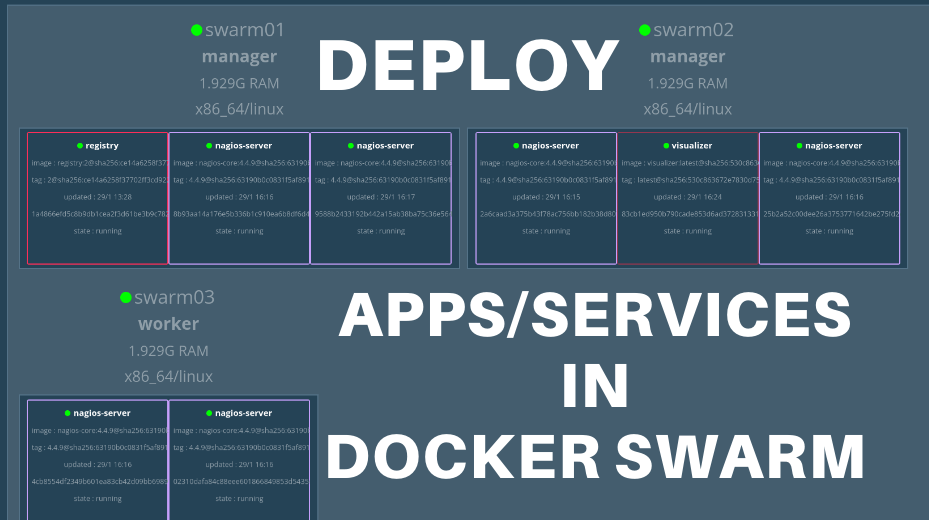
How do I deploy an application to a swarm cluster? In this tutorial, you will learn how to deploy an application in a Docker swarm

Latest Posts

Configure OpenShift 4 Image Registry Persistent Storage with ODF: 2026 Step-by-Step Guide

How to Install and Configure OpenShift Data Foundation (ODF) on OpenShift 4.20: Step-by-Step Guide [2026]

How to Deploy an OpenShift Cluster Using Agent-Based Installer (Bootable ISO, KVM & Bare Metal)

Integrate Request Tracker (RT) with Active Directory for Authentication

How to Enable Self-Service Password Reset in Request Tracker (RT)

Configure Request Tracker to Send Mails using MSMTP via Gmail Relay

Containers

Install Fedora CoreOS on KVM Using an ISO File: A Step-by-Step Guide

Install Portainer on Ubuntu 22.04

Disaster Recovery in Kubernetes: etcd Backup and Restore with etcdctl and etcdutl

How to Use Secrets in Kubernetes Applications

Working Guide: Deploy AWX on Kubernetes Cluster with AWX Operator

Deploy ELK Stack 8 Cluster on Docker using Ansible

Security

How to Install and Use ClamAV Antivirus on Ubuntu 18.04

Install and Setup Squid Proxy on pfSense

Configure Filebeat-Elasticsearch Authentication

Complete Guide: Configuring Filebeat to Send Logs to Kafka

Install Metasploit Framework on Fedora 29

How to Enable Secure Shell (SSH) server on OPNsense

Monitoring

Configure Logstash Elasticsearch Basic Authentication

Install Icinga 2 on Debian 10 Buster

Setup Kibana Elasticsearch and Fluentd on CentOS 8

Monitor Docker Swarm and Container metrics using Metricbeat

Install Elastic Stack 7 on Ubuntu 18.04/Debian 9.8

Quick Way to Enable Kibana HTTPS Connection

© 2026 kifarunix.com

Home Advertise with us Privacy Policy