Skip to content
kifarunix.com
  • Home
  • Blog
    • HowTos
    • Containers
    • Security
    • Networking
    • Storage
    • Virtualization
    • Monitoring
  • About Us
  • Contact Us

Monitor Changes to Critical Files on Windows Systems using Wazuh and ELK

Monitor Changes to Critical Files on Windows Systems using Wazuh and ELK

Monitor Changes to Critical Files on Windows Systems using Wazuh and ELK

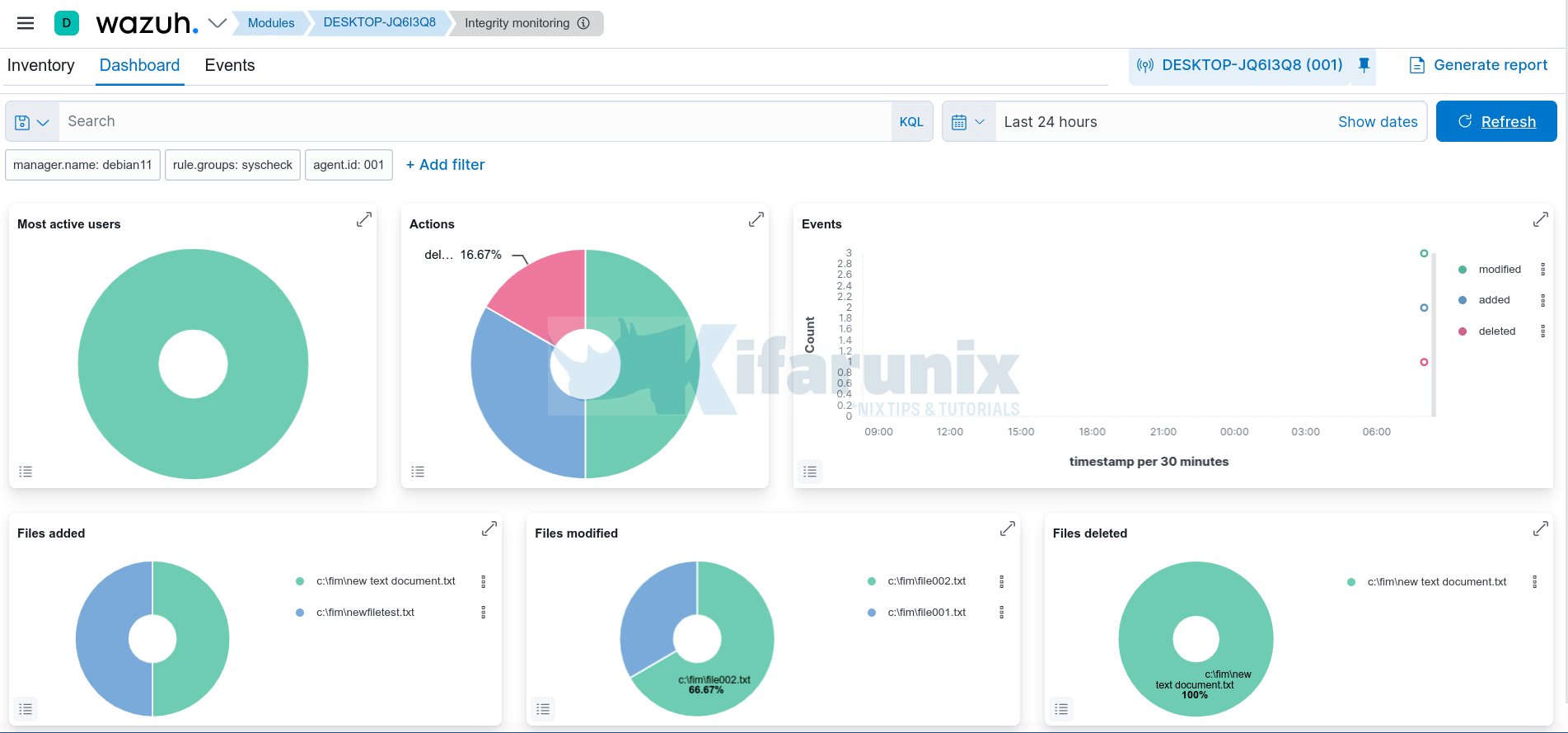
In this tutorial, you will learn how to monitor changes to critical files on Windows systems using Wazuh and ELK Stack. File operations are logged

Latest Posts

How to Deploy an OpenShift Cluster Using Agent-Based Installer (Bootable ISO, KVM & Bare Metal)

Integrate Request Tracker (RT) with Active Directory for Authentication

How to Enable Self-Service Password Reset in Request Tracker (RT)

Configure Request Tracker to Send Mails using MSMTP via Gmail Relay

How to Enable HTTPS for Request Tracker on Linux

Install Request Tracker on AlmaLinux/Rocky Linux

Containers

Introduction to Role-Based Access Control (RBAC) in Kubernetes

How to Install etcdctl on Kubernetes Cluster

Replace OpenShift Self-Signed Ingress and API SSL/TLS Certificates with Lets Encrypt

Disaster Recovery in Kubernetes: etcd Backup and Restore with etcdctl and etcdutl

Deploy a Single Node ELK Stack Cluster on Docker Containers

Kubernetes Resource Optimization with Vertical Pod Autoscaler (VPA)

Security

Enforce Password Complexity Policy On CentOS 7/RHEL Derivatives

Install Zammad Ticketing System on Debian 12

Cybersecurity In The Home: 3 Steps Households Can Take

Install Wazuh Manager with ELK on Debian 12

Install and Setup Velociraptor on Ubuntu 20.04

How to Enable Secure Shell (SSH) server on OPNsense

Monitoring

Install Telegraf on Fedora 30/Fedora 29

Install and Configure SNMP on Rocky Linux 8/9

Install Nagios Core on FreeBSD 13

Install Velociraptor Client on Linux and Windows Systems

Easily Export Kibana Search Results to CSV/Excel file

Restore Elasticsearch Snapshot to another Cluster

© 2026 kifarunix.com

Home Advertise with us Privacy Policy