Skip to content
kifarunix.com
  • Home
  • Blog
    • HowTos
    • Containers
    • Security
    • Networking
    • Storage
    • Virtualization
    • Monitoring
  • About Us
  • Contact Us

kubernetes pod scheduling

how Kubernetes assigns pods to nodes

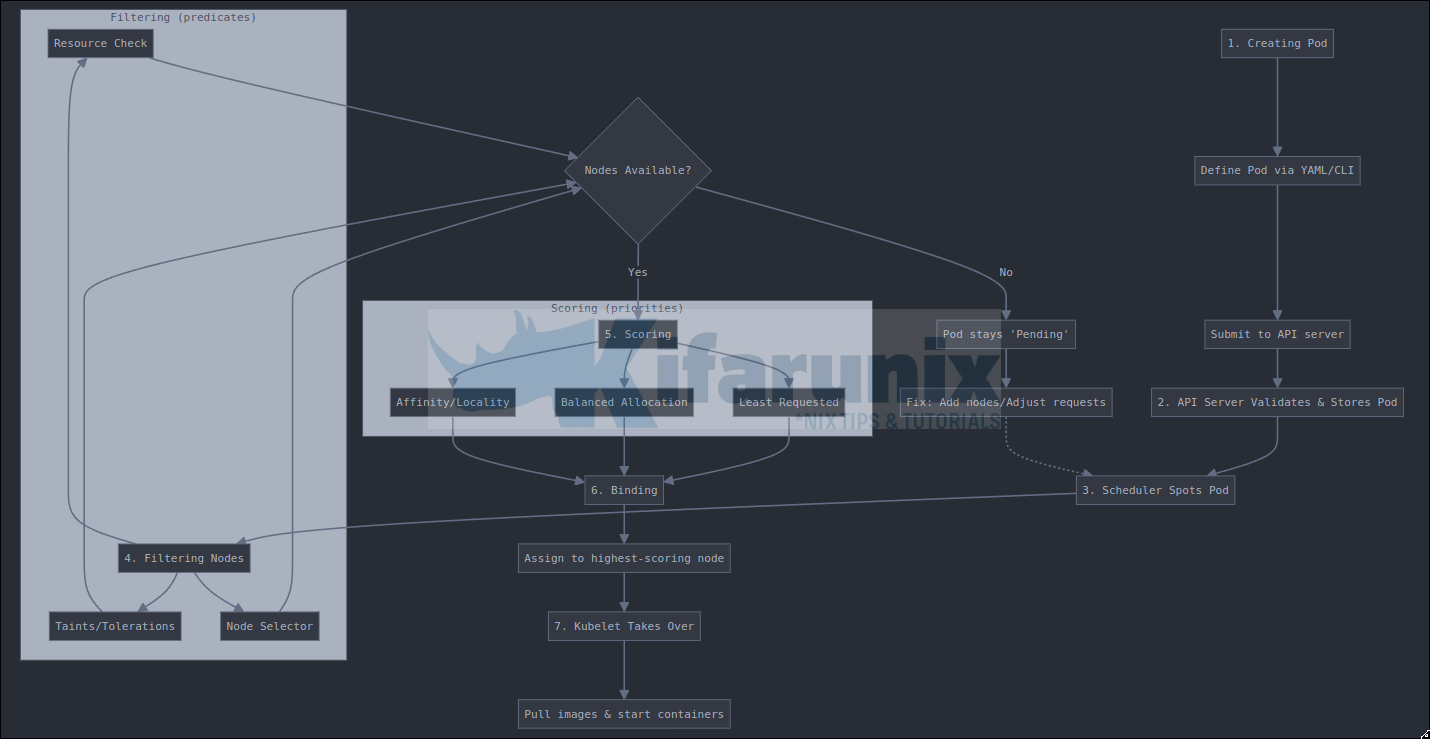
How Kubernetes Schedules Pods: A Step-by-Step Guide for Beginners

In this guide, we’ll walk you through how Kubernetes schedules Pods, from creation to running on a node. Kubernetes is a powerful tool for managing

Latest Posts

How to Configure Production-Ready Monitoring in OpenShift: Prometheus, Alertmanager & Persistent Storage

Configure OpenShift 4 Image Registry Persistent Storage with ODF: 2026 Step-by-Step Guide

How to Install and Configure OpenShift Data Foundation (ODF) on OpenShift 4.20: Step-by-Step Guide [2026]

How to Deploy an OpenShift Cluster Using Agent-Based Installer (Bootable ISO, KVM & Bare Metal)

Integrate Request Tracker (RT) with Active Directory for Authentication

How to Enable Self-Service Password Reset in Request Tracker (RT)

Containers

Step-by-Step: Provisioning Kubernetes Persistent Volumes with CephFS CSI Driver

Kubernetes Nodes Maintenance: Drain vs. Cordon Demystified

Understanding OpenShift Security Context Constraints: The Complete Guide

How to Install Docker Desktop on Ubuntu 22.04/Ubuntu 20.04

Step-by-Step Guide to Using ConfigMaps in Kubernetes

Assign Roles to Users and Groups in Kubernetes Cluster

Security

Configure Filebeat-Elasticsearch Authentication

Install ModSecurity 3 with Nginx on Ubuntu 22.04

Install Kismet on Ubuntu 18.04

Setup OpenVPN Server on Rocky Linux 8

Install ModSecurity 3 with Apache in a Docker Container

Detecting Malicious Files with Wazuh and VirusTotal

Monitoring

Install Zabbix Server on Rocky Linux

Install Grafana Plugins Behind a Proxy server

Quick Way to Install and Configure SNMP on Ubuntu 20.04

Install and Configure Elastic Auditbeat on Ubuntu 18.04

Visualize ClamAV Scan Logs on ELK Stack Kibana

Install Nagios Plugins on Rocky Linux 8

© 2026 kifarunix.com

Home Advertise with us Privacy Policy